/gac
 Google Account Chooser
A Chrome extension that automatically routes Google service links through native Google Account Chooser so you can pick the right Google account before the page loads — no more accidentally opening Gmail or Drive in the wrong account.
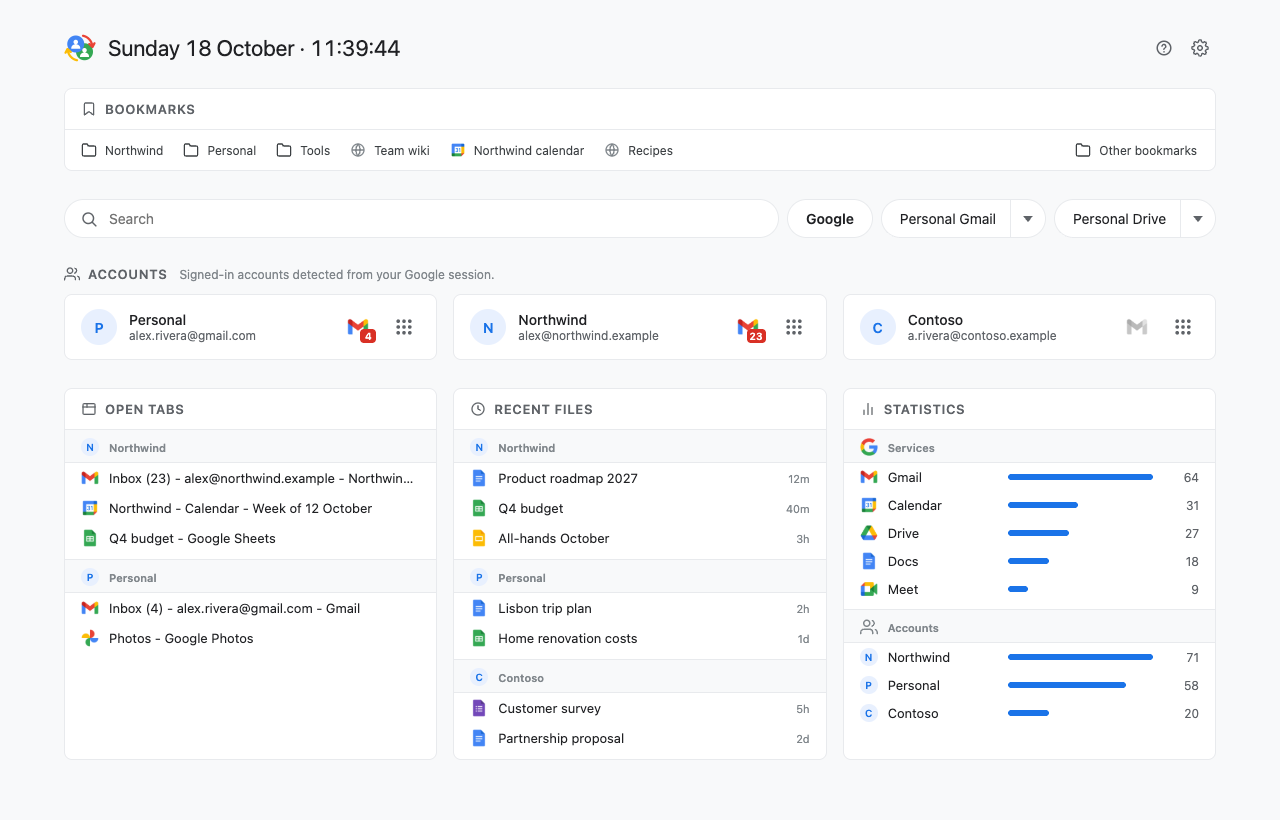
Version 2.0 adds a dashboard: every signed-in account with its unread mail and a launcher that opens services straight in that account, plus your bookmarks, search, open tabs, recent files and statistics — in a page, the toolbar popup or Chrome's side panel.
Install
- Install from the Chrome Web Store
- Install from sources on GitHub
Requires Chrome 114 or later.
Features
Account Chooser for Google links
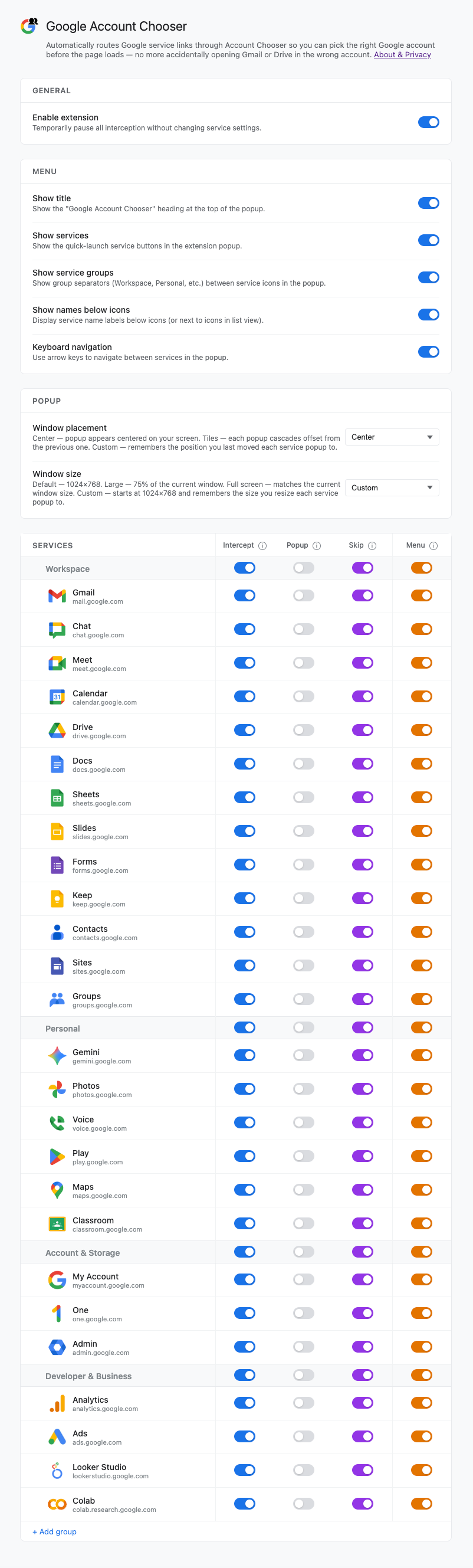
- Intercepts links to 26 Google services and redirects them through Account Chooser
- Intercept Google links switch — pause all interception without changing any per-service settings
- Per-service Skip toggle — skips Account Chooser when the URL already specifies an account
- Per-service Window toggle — opens the service in a separate chromeless window, with Center, Tiles or Custom placement and Default, Large, Full screen or Custom size
Dashboard
- One card per signed-in account: photo, email or nickname, Gmail unread count, and a launcher that opens any service directly in that account
- Bookmarks bar modelled on Chrome's, with nested folders and overflow
- Search Google, or Gmail and Drive in a chosen account
- Open Google tabs and recent Docs, Sheets, Slides and Forms, grouped by account
- Statistics of the services and accounts you open
- Optionally replaces Chrome's New Tab page
Popup and side panel
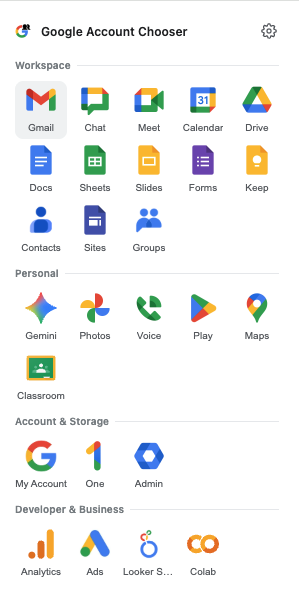
- The toolbar button opens a popup or the same content in Chrome's side panel, which stays open
- Show the launcher and any dashboard section in the popup, in any order
- Unread badge on the toolbar icon with the total Gmail unread count across accounts
Customization
- Service groups: add, rename, delete, and drag and drop groups and services
- Column toggles flip Intercept / Window / Skip / Launcher for a whole group
- Account order and nicknames; section order, width, visibility and titles; dashboard title format
- Keyboard navigation in the launcher
Privacy
Everything runs in your browser. The extension doesn't ask you to sign in and doesn't use Google APIs — account names, photos and unread counts are read with your existing Google session. Settings are stored with chrome.storage.sync; the account cache and statistics stay in local storage. History and bookmarks are read only after you turn those sections on. No data is collected, transmitted, or shared with any third party.
License
MIT — see LICENSE