
/gitiempo
GITiempo
GITiempo is a single-tenant time-tracking product for teams that manage work as GitHub Issues inside GitHub Projects. GitHub connection is optional: members can track time against synced issues, manual tasks, and manual projects inside the same workspace.
Access
- Open the user workspace preview at gitiempo.itsua.dev
- Open the admin workspace preview at gitiempo-admin.itsua.dev
- Download the current Chrome extension build from this page
- Sign in uses Firebase Auth with Google or email/password; GitHub account connection is optional and handled in the user profile.
Core MVP
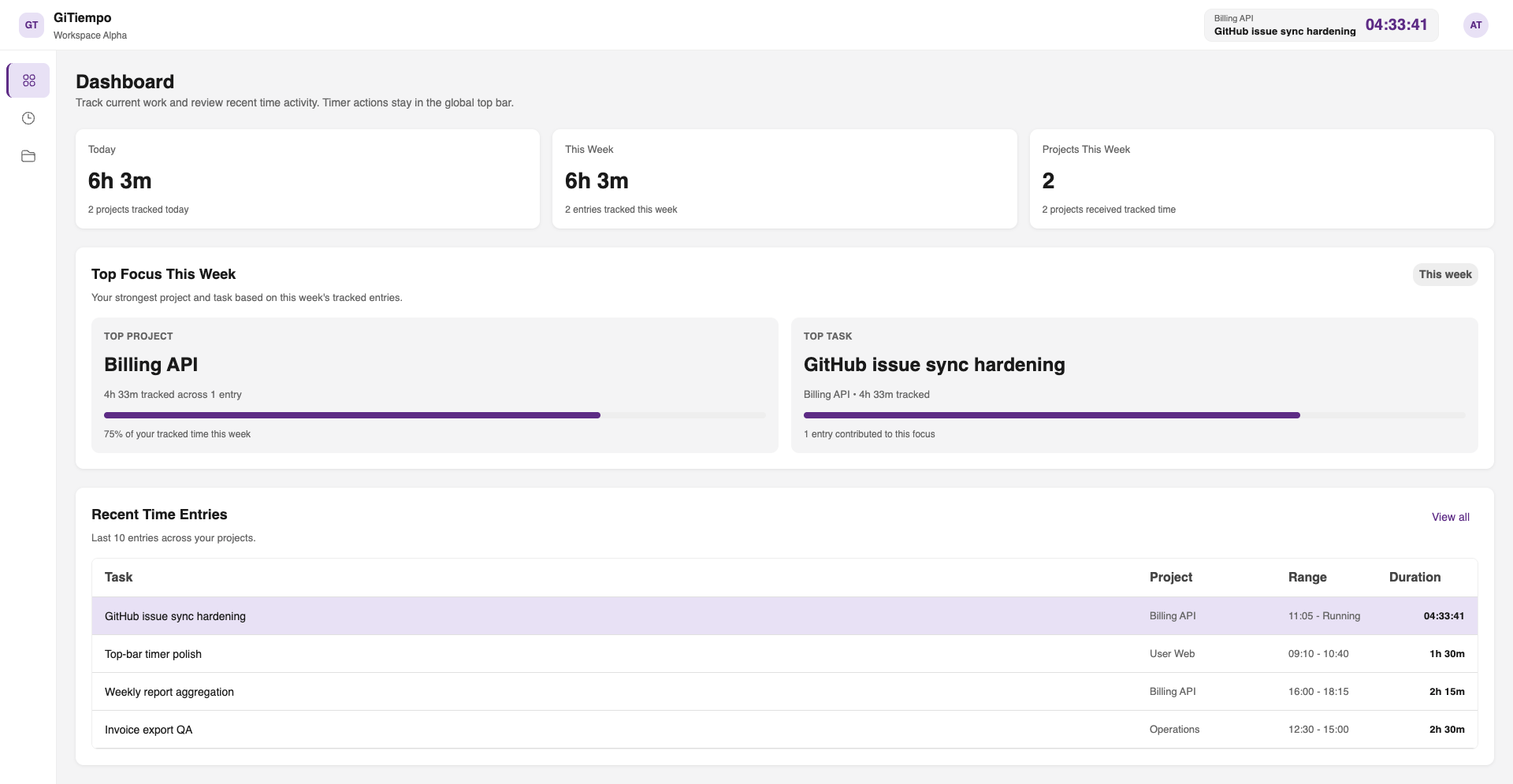
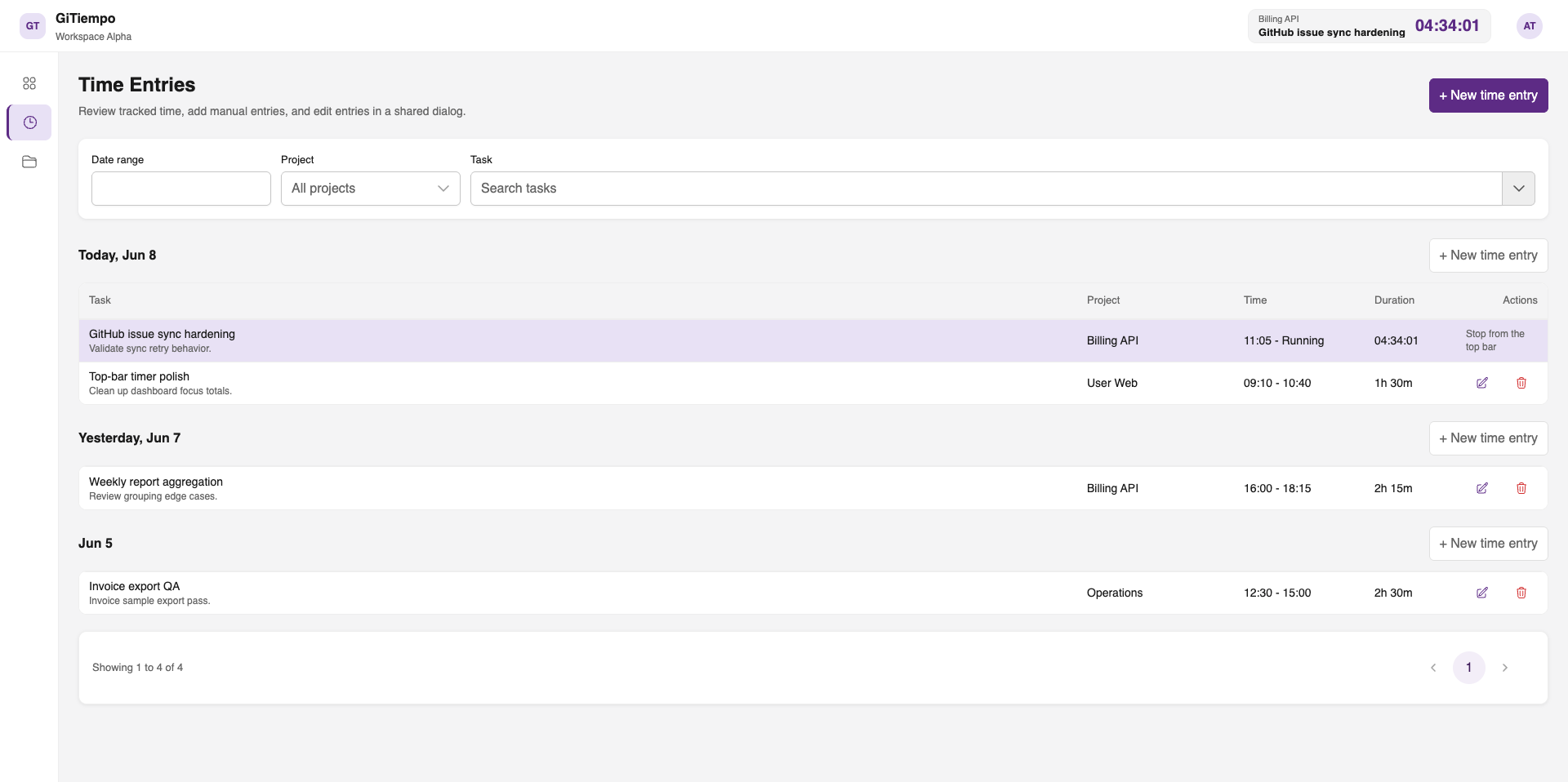
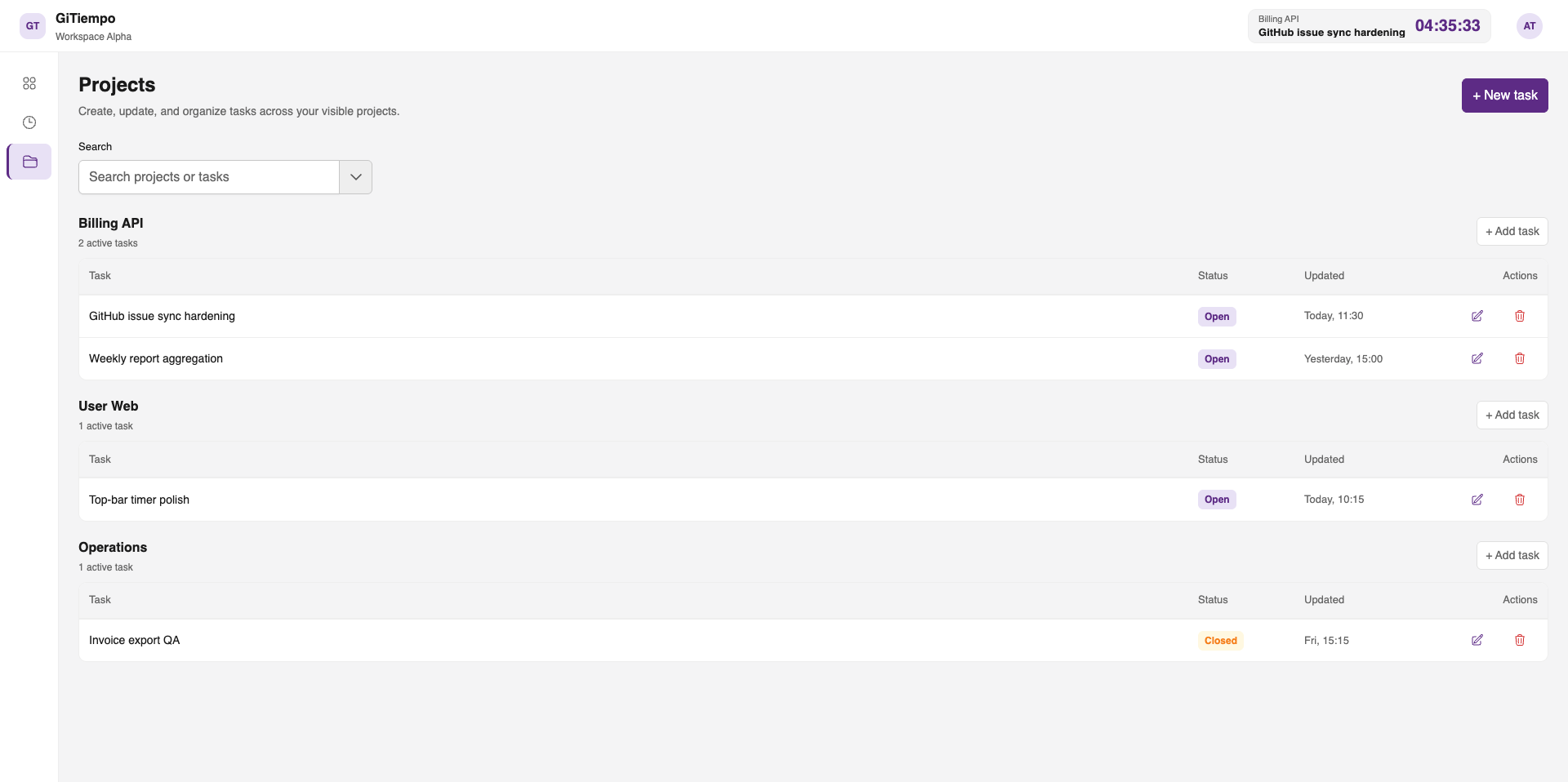
- User workspace — global top-bar timer, project and task selection, grouped projects view, own time entries, and profile-based GitHub connection management
- Admin workspace — reports, invoice records, member invites, project assignments, visibility control, and workspace settings
- GitHub sync — on-demand access to repositories, projects, and issues through a GitHub App user-to-server flow, without requiring GitHub login for basic product authentication
- Manual mode — local projects and tasks coexist with synced GitHub data for teams or workstreams that do not live entirely in GitHub
- Reports and invoices — report filters by project, member, and date range; invoice records use tracked hours, hourly rate, discount, and status
- Chrome extension — start and stop a timer on supported GitHub issue pages and project issue panes, with project/task auto-create when the issue is not yet in the workspace
Roles
- Member — tracks time, manages own entries, works with visible projects and tasks, and can connect GitHub
- Project Manager — all member capabilities plus reports, invoices, and work visibility inside assigned projects
- Admin — full workspace visibility, invites, roles, assignments, settings, and GitHub/workspace management
Current Scope
- Single-tenant MVP — one deployed workspace per instance, but the schema keeps workspace IDs so multi-tenant SaaS can be added later
- Two workflows — members can track time from the web app or directly from supported GitHub issue surfaces through the extension
- Deferred after MVP — non-GitHub integrations, invoice PDF generation, native mobile apps, budgeting, and capacity planning
How it works
- Open the user app, sign in with Google or email, and land in the member workspace where the timer, projects, and time entries live.
- In the user app, pick a visible project and task from the top-bar timer dialog, then start a timer or add a manual interval entry for past work.
- If the task does not exist yet, create it inside a visible project and continue tracking time in the same workspace flow.
- Open your profile to connect GitHub if you want synced repositories, projects, and issues available in task selection.
- Download the Chrome extension, load it in Chrome, sign in through the extension popup, and open a supported GitHub issue page or GitHub Project issue pane.
- Click Start Timer on the injected issue control or in the popup. If the GitHub project, repository, or issue is not in the workspace yet, GITiempo creates the matching project and task automatically before starting the timer.
- Stop the timer from the extension or the web app, then review the tracked entry in the user workspace. Admins and PMs can continue into reports and invoice records from the admin workspace.
Ready when
you are.
→ OPEN BRIEF FORM EMAIL hello@itsua.com HQ Sakala tn 7-2, Tallinn, 10141, Estonia VAT EE102549430 TIMEZONE EET / UTC+2 RESPONSE SLA < 24h